Introducing the Free Backlink Checker: Verify Any Link
Our free backlink checker reads any page and tells you whether your link is live, what its anchor text says, and whether it passes ranking signal.
- By
- Serpverse Team, SEO Experts
- Published
- Sep 2, 2026
- Read
- 7 min read
- backlink checker
- free tools
- product update
- nofollow
- link monitoring
 Serpverse
You bought a placement four months ago. The article went live, the link looked right, you moved on. Is it still there today? Most people answer that by opening the page, hitting Ctrl+F, squinting at the page source for a rel attribute, and giving up halfway.
Today we're shipping a tool that answers it in one paste: the Backlink Checker. It's free, there's no account, and there's no signup wall. Paste the page your link should be on and the domain it should point to, and you get a straight answer about the page as it stands right now.
What the Backlink Checker Does
The backlink checker loads a live web page, finds every link on it, and reports which ones point to your domain. For each match it shows the anchor text, the exact URL the link resolves to, and whether the link passes ranking signal or has been marked nofollow, sponsored, or ugc. It checks one page at a time and answers in a few seconds.
That's the whole scope. It isn't a crawler, a rank tracker, or a backlink index — it's the manual check you were about to do by hand, done properly.
Why "Is My Link Still There?" Is Four Questions
The reason this check is tedious by hand is that a placement can fail in several different ways, and they look nothing alike:
- The link is gone. The article is still live, but your link has been quietly stripped out of it.
- The page is gone. The URL now returns a 404, so the link went with it.
- The link is there but doesn't count. Someone added
rel="nofollow"orrel="sponsored"after publication. - The whole page doesn't count. The page carries a
noindexor a page-levelnofollow, so nothing on it passes anything.
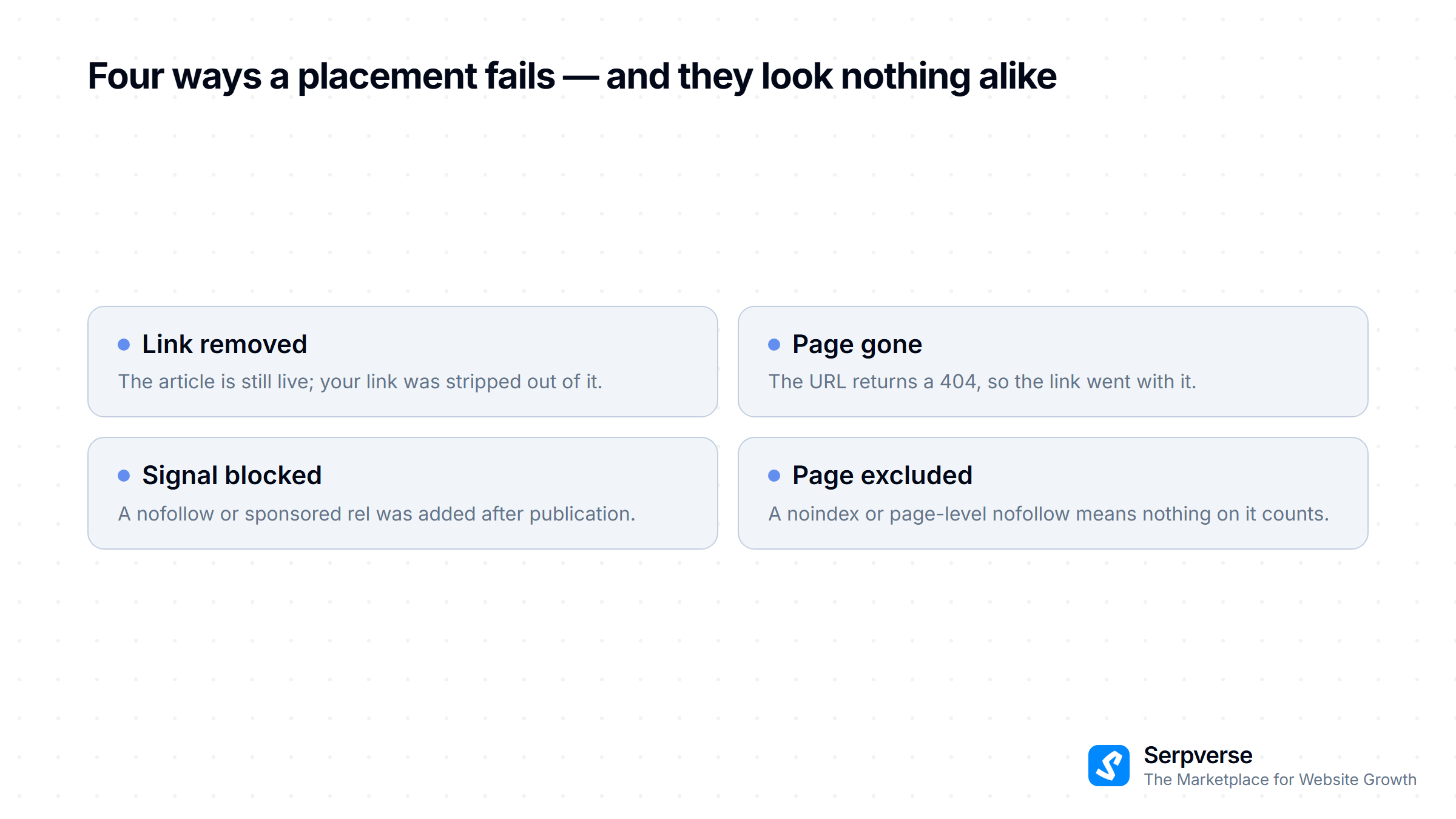
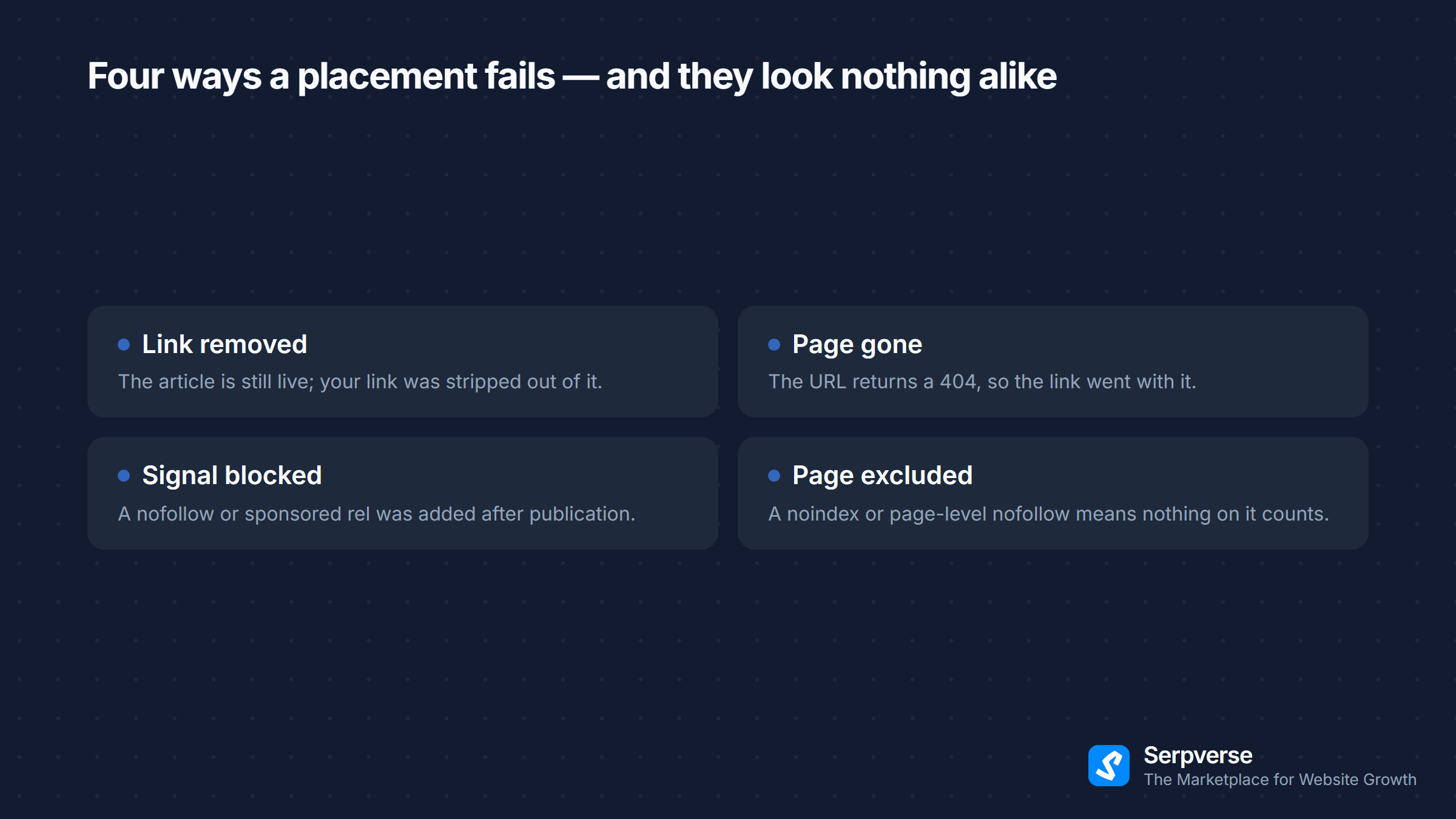
Each one needs a different conversation with the publisher, and the last two are invisible unless you go looking in the markup. The checker separates them and tells you which one you're looking at.
One case is worth calling out because it catches people: a link on a page that returns an error is never reported as live. Plenty of sites serve their normal footer and navigation on their 404 template, so a naive check finds your domain on the page and calls the placement healthy when the article behind it has been deleted. A page that errors is reported as an error, and no links are read from it.
What Every Check Reports
| Field | What it tells you |
|---|---|
| Verdict | Whether the link is live, live but passing no signal, missing, or unreachable |
| Anchor text | The visible text of the link, exactly as a reader sees it |
| Points to | The full URL the link resolves to, including the subdomain it landed on |
| Follow status | Whether the link passes ranking signal, and which rel values are on it |
| Page directives | Any page-level noindex or nofollow, and where it was declared |
| Links scanned | How many links were read on the page, matching or not |
A match counts when the link's hostname is your domain or a subdomain of it — example.com matches www.example.com and blog.example.com, but never notexample.com, and never a page that merely mentions your domain somewhere in a URL path.
Dofollow, Nofollow, Sponsored, and UGC
A link is reported as passing ranking signal only when its own rel attribute carries none of nofollow, sponsored, or ugc. The last two are the values Google introduced in 2019(opens in new tab) as more precise replacements for blanket nofollow, and for this purpose they count the same way — a placement marked sponsored is disclosed correctly and passes no PageRank by design. Google's guidance on qualifying outbound links(opens in new tab) covers when each value applies.
noopener and noreferrer are window and referrer hygiene rather than ranking directives, so they don't block a follow — a distinction that trips people up when reading a rel attribute by eye. If the difference between these values is new to you, our guide to dofollow vs nofollow links covers what each one does to link equity.
The checker is deliberately blunt here. A link that is live but passes nothing gets an amber verdict, never a green one. It's a real finding, and dressing it up as a pass would be the one way this tool could mislead you.
A Page-Level Directive Overrides Every Link
A page can be set to nofollow as a whole, which applies to every link on it regardless of what each individual link's rel says. A page can also be set to noindex, which keeps it out of search results entirely — and links on a page that isn't indexed pass nothing.
The checker reads both, and it reads them from two places: the robots meta tag(opens in new tab) in the page's markup, and the X-Robots-Tag the site sends with the page. The second matters more than it gets credit for, because a page can be set to noindex with nothing in its markup saying so. If you have ever inspected a page's source, found it clean, and still watched a placement do nothing, this is the usual reason.
Anchor Text Is What a Reader Actually Sees
Anchor text is reported as it appears on screen. Themes routinely tuck screen-reader-only boilerplate inside a link — a hidden "(opens in a new tab)" span is common — and including that text would show you an anchor nobody agreed to. Those hidden fragments are excluded, so what you read is what you can hold a publisher to.
What It Doesn't Do
Being clear about the edges is what makes the answers trustworthy:
- It doesn't tell you whether Google has indexed the link. A live, followed link still has to be crawled before it does anything, which is a separate problem with its own timeline — see why a backlink isn't indexed.
- It doesn't judge link quality. Whether the placement was worth buying is a different question from whether it's still live.
- It doesn't monitor. Each check is a snapshot of that moment. There's no alerting, and nothing is kept between checks.
- It doesn't see links added by scripts. The page is read as the site delivers it, so a link injected after the page loads won't be counted.
When to Run a Check
Three moments are worth the ten seconds:
- When a placement goes live, to confirm the anchor text and follow status match what was agreed — before the order settles rather than after.
- On a periodic sweep of older placements, which is where quietly removed links usually surface.
- Before you raise anything with a publisher, so you arrive with a specific finding rather than a suspicion.
That second one is where link building quietly loses money, because a link removed six months after publication is nobody's job to notice. Placements bought through Serpverse carry a placement guarantee attached to the listing — permanent on most of them — so a link that disappears later is something you can still get put right rather than something you write off.
If a check turns up a missing link on an order you placed here, disputing a completed order walks through what happens next. If the placement came from somewhere else, our guide on what to do when a guest post link is removed covers the outreach side.
Try It
The backlink checker is live now — find it under Resources → Free Tools in the top menu. No account, no email, no credit card. Paste a URL and a domain, and it tells you what's actually on the page.
It's the first of a set of free tools we're building there. This one went first because "is the link still live, and does it still count?" is the question we saw people answering by hand most often.